Send the first order once
Choose the partner, the blank and the print file for the first order, then save the setup on the product. Sending orders by hand is on every plan.
POD auto-fulfillment
DoctorX comes with print-on-demand partners built in. Send a product’s first order and save the setup on the product; from then on that product’s orders go to the same partner by themselves, and tracking comes back to the order.
What you get
Choose the partner, the blank and the print file for the first order, then save the setup on the product. Sending orders by hand is on every plan.
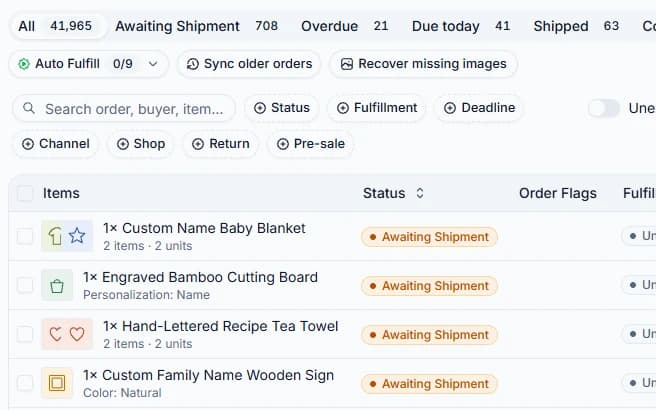
New orders of a product with a setup go to the same partner. An order missing its design, or matching two partners, waits for you instead of a guess.
When the partner ships, the tracking number lands on the order in DoctorX with nothing to copy by hand.
Cancel or resend an order right from the order screen. Your retail price is never sent to the partner.
How it works
Add the print partner account in Settings; DoctorX checks it at once.
Pick the blank and the print file, send, and save the setup on the product.
Turn auto-fulfillment on; later orders go out and get their tracking by themselves.
Which plans
On paid plans. The lowest plan that opens it:
Which marketplaces
Questions
DoctorX comes wired to popular POD print partners: catalog browsing, live credential checks, automatic order submission, tracking updates, and cancel or retry from the order screen. The full list is in your settings right after you sign up.
More: POD auto-fulfillmentTikTok Shop US and UK. You connect either one through TikTok’s own authorization, and DoctorX syncs its orders, listings and settlements; a UK shop’s money is shown converted to USD beside your other shops. The print-on-demand partners ship from the United States, so a UK shop has no POD order sending.
More: TikTok Shop integrationNo, with one exception. Every paid plan, in either group, unlocks the entire platform: AI content and background removal, auto-fulfillment, promotions, advanced analytics, carrier tracking, creator affiliate and product research, and it lifts the Free plan limits on people and monthly CrawlBot imports. The exception is the Developer API and webhooks on Etsy & Amazon, which start from a larger pack. Otherwise plans differ only by how many shops you can connect.
More: PricingMore features
Build a product once from a template and publish it to many shops and marketplaces in one go.
See the detailsReal fees from the marketplace’s settlements, minus the cost you enter, in USD: each order’s real profit.
See the detailsFind and invite creators in bulk, approve samples, follow each creator’s videos and affiliate revenue.
See the detailsBuyer and creator messages from every shop in one inbox, live.
See the detailsA Chrome extension that turns a product page you may sell into a draft listing, images and variants included.
See the detailsFive roles, each person sees only the shops they are given, and cost stays with those who may see it.
See the detailsTikTok Shop discounts and flash deals, eBay markdowns, across shops, repeating on a schedule.
See the detailsProducts and creators rising on TikTok Shop US, by day, week and month.
See the detailsAsk in words about revenue, payouts, orders to handle or listing errors; the answer is your workspace’s real numbers.
See the detailsContact
No ticket queue and no bot in the middle: write to the team directly, or step into the community where setup questions get answered in the open.
The direct line for billing, account access, and partnerships, anything that needs a written record.
The DoctorX community group. Ask a setup question, get an answer in the open, and compare notes with sellers running the same channels you do.
Both desks reach the same team; write in English or Vietnamese, either is fine.